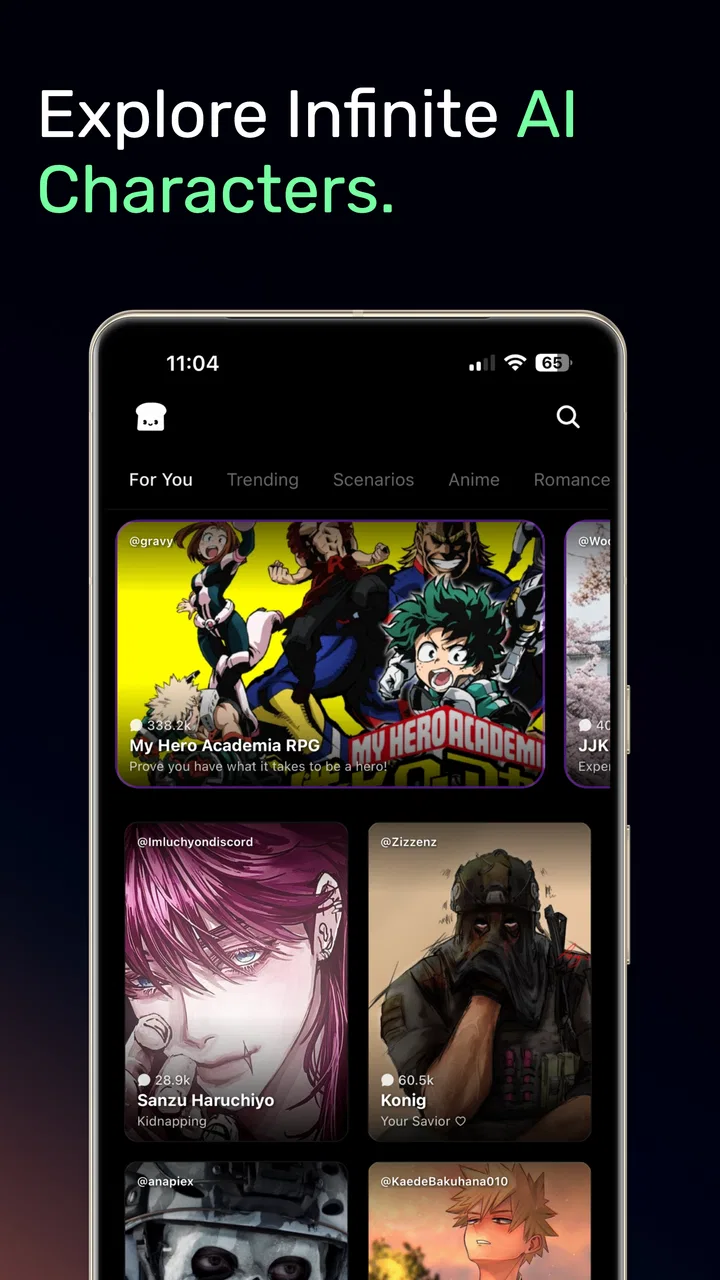
Hangjam: AI Chat and Roleplay
- 4.0
- Rating
- 100.00K
- Installs
- Free
- Price

 Analysis by App-foxy
I approached Hangjam: AI Chat and Roleplay as a reading and reference app with a creative twist rather than as a conventional ebook reader. Its focus is interaction: AI stories and characters give me something to respond to, guide, and revisit instead of asking me to move through a fixed chapter sequence. That makes the experience feel closer to an improvised conversation than to opening a novel, and it changes what I expect from the app before I even begin.
That distinction matters because people often arrive with different goals. If you want a quiet library of finished books, this is not the same kind of tool. If you enjoy shaping fictional situations, testing dialogue, or using character conversations as a quick creative break, it has a more interesting angle. I found the best results came when I treated each session as a small scene with a purpose, not as an endless chat where I expected the app to do all the storytelling for me.
Getting past the first points of friction
The first obstacle is deciding what kind of experience you want. With a traditional reference app, I can search for a subject and expect a stable answer. With Hangjam, the quality of a session depends more on the direction I give the conversation. A vague opening can lead to a flat exchange, while a short instruction about tone, setting, or the kind of response I want gives the interaction a clearer shape.
You May Also Like

 Blood Strike: 2.5 Anniversary
Blood Strike’s Loadouts Turn Every Drop Into a Tactical Gamble
A close look at Blood Strike’s custom loadouts: how fast access to signature weapons reshapes its battle royale rhythm, rewards preparation, and narrows the gap between fights.

 Pandora - Music & Podcasts
Pandora’s Music Is Easy to Start, but Harder to Recover
Pandora’s strength is its low-effort path from a seed to a station. Its weak spot is how much confidence it asks you to place in connection, setup, and quiet recovery.

 8 Ball Pool
8 Ball Pool Is Built on Rivalries, Rematches, and Routine
A close look at the rivalries, rematches, shared routines, and unanswered safety questions that turn a quick pool match into a persistent mobile community.

 Samsung Music
Samsung Music’s Quiet Strength Is Playing What You Already Own
Its reach comes less from spectacle than from dependable access to a personal library. That simplicity is both the app’s strongest retention engine and its ceiling.

 AccuWeather: Weather Radar
AccuWeather Review: A Quick, Clear Forecast for Everyday Decisions
For everyday plans, the best forecast is the one you can understand quickly. AccuWeather makes rain timing, radar, and local conditions easy to act on, with a few trade-offs.

 Hill Climb Racing
Why Hill Climb Racing Still Turns Crashes Into One More Run
A tiny car, a bumpy hill and one more upgrade: Hill Climb Racing keeps resurfacing because its simple chaos makes every near-miss feel personal.
More From Our News Desk



I recommend starting with a simple scenario rather than trying to build a huge fictional world immediately. For example, I might set a scene in which two characters need to solve a practical problem, then ask for dialogue that stays focused on that situation. This gives me an easy way to judge whether the conversation is useful. It also makes it easier to notice when the character drifts away from the premise.
Another common sticking point is expecting every reply to feel like polished fiction. AI roleplay can be entertaining, but it is not identical to reading a book edited from beginning to end. I occasionally had to steer the exchange back toward the mood or subject I wanted. That is not necessarily a failure; it is part of using an interactive format. Still, readers who want consistent literary pacing may find the need for active guidance tiring.
The app comes from Hangjam and sits in the Books & Reference category, although its conversational format makes it feel different from a standard encyclopedia, dictionary, or digital bookshelf. Its store summary presents it as a place for AI stories and characters, which is a useful description of the central idea without suggesting that it replaces conventional reading material.
What I check before judging a session
When a conversation feels slow, incomplete, or oddly off-topic, I first separate the problem into three possibilities: the prompt, the app session, or the device and connection. That simple habit prevents me from blaming the wrong thing. A weak opening instruction can look like a technical problem, while a temporary loading issue can make a good scenario appear unreliable.
My first setup check is the operating system. The current version, 2.6.9, requires Android 10 or later. That is a practical detail to check before spending time troubleshooting. If the device is older than the supported minimum, updating the app or repeatedly reopening it is unlikely to solve the underlying compatibility issue.
I also make sure the app has completed its initial loading before beginning a longer exchange. Starting a conversation while the interface is still settling can make the first response feel delayed or incomplete. I prefer to wait until the screen behaves normally, then send one clear message instead of tapping repeatedly. Repeated taps can create confusion about whether a request was sent once or several times.
A stable connection is equally important for an AI conversation. If replies stop arriving, I check whether other online apps are working, then retry once rather than sending a string of duplicate messages. When the issue is temporary, a clean retry is easier to understand than a crowded conversation containing several copies of the same request.
There is also a content-setting question that should not be ignored. The app is rated Teen, so it is not something I would hand to a younger child without checking whether the conversational style suits that person. The rating is not a promise that every exchange will match one reader’s comfort level. I would set expectations clearly, especially if the device is shared with family members.
A smoother way to build characters and stories
I get more from the app when I separate planning from improvisation. Before starting a session, I decide four things in plain language: who is present, where the scene happens, what each person wants, and what tone I want. I do not need a long script. A compact setup gives the conversation boundaries while leaving room for surprises.
One useful workflow is to begin with a low-pressure test scene. I might ask a character to explain a problem, respond to a disagreement, or make a decision with two possible consequences. This reveals whether the character feels distinct enough for my purpose. If the replies become generic, I add a specific constraint rather than simply asking the same question again.
A second helpful technique is to use the conversation as a drafting partner, not as the final author. I can ask for several possible directions, choose the one I like, and then continue from there. This is particularly useful for someone who has an idea for a story but struggles with the next scene. The app can help me move past the blank page, while I remain responsible for selecting what is worth keeping.
I also avoid changing too many elements at once. If I alter the setting, character motivation, tone, and point of view in a single message, it becomes difficult to tell which change improved or weakened the result. Small adjustments make the interaction easier to steer and help me learn how a particular character responds.
For everyday use, this workflow fits short sessions well. I could use it during a break to explore a scene, practice writing dialogue, or entertain myself with a fictional debate. I would not rely on it as a replacement for a researched reference source, because imaginative interaction and factual lookup serve different purposes.
Recovering a conversation that goes off track
When a character starts ignoring the original situation, I do not immediately abandon the session. I restate the important point in one sentence and ask for the next response from that position. For instance, I might remind the character that the scene is still taking place in the same location and that the unresolved problem remains the priority. A short correction is usually more useful than a long complaint.
If the exchange has accumulated too many conflicting instructions, starting a fresh scene can be cleaner. This is one of the trade-offs of interactive storytelling: continuing preserves context, but too much context can make the conversation harder to control. I treat a new conversation as a reset button for the creative premise, especially when the earlier direction no longer matters.
Another recovery method is narrowing the requested output. Instead of asking for a complete continuation, I might request one reply, one decision, or one short exchange. Smaller steps make it easier to catch a problem early. They also reduce the disappointment of receiving a long response that takes the story somewhere I did not want to go.
I found it helpful to keep my own notes outside the app when a story becomes important to me. I can record character names, motivations, and the last useful development in a separate note, then use that summary to restart the scene if needed. This is a practical safeguard because interactive sessions are easier to manage when I am not depending on memory alone.
That habit also answers a question many potential users have: can this replace a personal writing system? In my view, it works better alongside one. The app is good for generating momentum and exploring possibilities, while an external note or document gives me control over the version of the story I actually want to preserve.
When the app is not the real problem
Not every disappointing exchange points to a fault in Hangjam. Sometimes my request is too broad, my expectations are too high, or the subject simply does not suit improvisational chat. If I ask for a perfectly consistent long-form narrative without providing structure, I am asking the format to do more than it naturally does.
Connection problems can also be mistaken for poor AI quality. If a response takes unusually long, fails to appear, or the interface behaves inconsistently, I check the network and try again later before judging the storytelling. I also avoid rapidly switching between apps during a response, since interruptions can make it harder to tell whether the exchange has finished.
Device limitations are worth considering as well. A supported operating system does not automatically mean every older phone will feel equally comfortable for extended conversations. Screen size, available storage, background activity, and general device responsiveness can influence how pleasant the session feels. If the app opens but the phone is already struggling with several tasks, I would close unnecessary apps and retry before drawing a firm conclusion.
Privacy and spending deserve a calm, practical check too. Hangjam is free to download and use, while in-app purchases range from $4.99 to $199.99 per item. I would review purchase controls before letting someone else use the device, particularly because a free starting point can make optional spending easy to overlook. This is not a reason to reject the app, but it is a reason to use it deliberately.
The audience signal is also clear enough to guide a decision. A Teen rating makes it more appropriate for older users than for young children, and the conversational nature means I would not assume that every interaction will be suitable for every household. Someone looking for a tightly controlled educational reader may be better served by a conventional reference app with a fixed collection of material.
How it compares with ordinary reading and chat tools
Compared with an ebook reader, Hangjam offers participation instead of a finished reading path. An ebook gives me an author’s completed structure; this app asks me to influence what happens next. That makes it more flexible for experimentation but less dependable when I want a carefully paced story with a guaranteed conclusion.
Compared with a general-purpose AI chat tool, its identity is more focused on stories and characters. That focus can make it easier to enter a fictional mindset, especially when I want to roleplay rather than move between research, planning, and unrelated questions. The trade-off is that a broad assistant may be a better choice when I need practical tasks, factual organization, or one tool for many unrelated jobs.
Compared with a standard books-and-reference app, it is less about retrieving established information and more about creating an exchange. I would choose a dictionary, encyclopedia, or research reader when accuracy and stable source material are the priority. I would choose Hangjam when the value comes from exploring a fictional voice, testing a scene, or turning a small idea into a conversation.
The app’s audience appears reasonably established, with over 100 thousand installs, an average rating of 4.0 from around 5.3 thousand ratings, and 75 written reviews. Those figures suggest that people are using it, but they do not remove the need to test whether its style suits me. Interactive storytelling is personal: one reader may enjoy steering every turn, while another may see that same involvement as work.
Who will enjoy it, and who should skip it
I would recommend Hangjam to curious readers who like character-driven fiction, writers who need prompts, and anyone who enjoys short creative sessions rather than committing to a full book. It is also a reasonable option for someone who wants to explore different conversational personalities and see where an improvised scene leads.
I would be more cautious about recommending it to readers who want a finished novel, a dependable research database, or a completely passive experience. It is not the right fit if I want to open an app, select a title, and receive a polished story with no steering required. It is also not my first choice for serious factual research, where a source-based reference tool is more appropriate.
For a realistic everyday example, imagine having fifteen minutes before an appointment. I could open a character conversation, set a small problem, and ask the character to react to one decision at a time. If the scene loses direction, I can summarize the premise and continue, or restart with a cleaner setup. That makes the app useful as a compact creative exercise rather than something that demands a long uninterrupted session.
I would also tell a friend not to judge it from one vague prompt. Give it a defined situation, a clear tone, and a modest goal. If the interaction still feels repetitive after a few carefully framed attempts, that is useful information: the format or the app may simply not match that person’s taste.
My practical verdict
After using it as an interactive story and character tool, I see Hangjam as a specialized creative companion within the Books & Reference space. Its strongest quality is the way it turns reading into participation. I can test a scene, question a character, and redirect the exchange instead of following a fixed page order. That is genuinely engaging when I arrive with even a small idea.
Its main limitation is the same feature that makes it interesting: I have to guide it. The best sessions depend on clear prompts, sensible expectations, and a willingness to restart or correct a conversation when it drifts. People who want polished, fixed content may prefer an ebook or traditional reference app, while people who want broad practical assistance may prefer a general AI tool.
Hangjam is free, developed by Hangjam, rated for Teen users, and currently available in version 2.6.9 for devices running Android 10 or later. I would keep the optional purchase range in mind and check device compatibility before troubleshooting. With those practical points handled, the app is most rewarding when I use it as a guided creative workspace rather than a passive library.
My recommendation is therefore selective but positive. If you enjoy AI stories, roleplay, and building conversations one decision at a time, Hangjam: AI Chat and Roleplay is worth trying. Start small, keep your prompts specific, save ideas you care about outside the conversation, and judge it by the quality of the interaction you can shape—not by whether it behaves like an ordinary book reader.
FAQs for Hangjam: AI Chat and Roleplay
01What is Hangjam: AI Chat and Roleplay, and how does it work?
Hangjam: AI Chat and Roleplay is an artificial intelligence chat app focused on conversations with virtual characters and interactive scenarios. After choosing a character or creating a roleplay situation, you can send messages and receive AI-generated replies. The experience is designed for entertainment, storytelling, casual conversation, and experimenting with different personalities rather than replacing real human communication.
02Can I create my own characters and roleplay scenarios in Hangjam?
The app is primarily built around character-based conversations, and its available creation tools may allow users to customize personalities, backgrounds, conversation styles, or story settings. However, the exact options can depend on the current version and account type. Before downloading, check the app listing and in-app menus to confirm whether custom characters, public sharing, or private scenarios are supported.
03Is Hangjam: AI Chat and Roleplay free to use?
Hangjam may offer free access to basic conversations while reserving some features, characters, message limits, or advanced AI models for premium users. Availability can change through updates, so review the current pricing information before starting a subscription. Also check whether the app includes advertisements, in-app purchases, introductory trials, or automatic renewal terms that could affect the total cost.
04Is Hangjam suitable for children and teenagers?
Parents should review Hangjam’s age rating, community guidelines, and content controls before allowing younger users to access it. AI roleplay apps can produce mature, romantic, frightening, or otherwise unexpected responses depending on the prompt and character. Even when filters are available, they may not block every unsuitable message, so supervision and careful privacy settings are recommended for minors.
05What privacy and safety considerations should I know before using Hangjam?
As with any AI chat service, avoid sharing passwords, financial details, precise location information, private photographs, or other sensitive personal data during conversations. Messages may be processed by the service to generate replies and could be handled according to its privacy policy. Before creating an account, review data collection, retention, deletion, reporting, blocking, and account-security options.
Pros
- Large selection of AI characters for varied roleplay scenarios.
- Supports creative
- open-ended conversations beyond simple question answering.
- Easy-to-use chat interface makes starting a roleplay session quick.
- Useful for brainstorming stories
- dialogue
- and original character ideas.
- Frequent conversations can help users develop writing and improvisation skills.
Cons
- AI responses may occasionally feel repetitive or inconsistent with the character.
- Some characters or features may require in-app purchases or a subscription.
- Long conversations can lose context
- especially in complex roleplay sessions.
- Content quality varies considerably between different user-created characters.
- Requires an internet connection for most chats and AI-generated responses.

Hangjam: AI Chat and Roleplay
Gallery